
How to make a FiveM tattoo pack
Drop a PNG on a 3D ped, position it where you want it, and export a working tattoo pack — overlay XML, textures and ready-made config files for the common appearance scripts. No modelling, no meta editing.
What a FiveM tattoo actually is
A tattoo is not a mesh — it is a ped decoration overlay. The game holds a PedDecorationCollection that lists each tattoo with a UV position, a scale, a rotation and a body zone, and points at a texture in a streamed .ytd. Your appearance script then applies it with AddPedDecorationFromHashes.
Getting that collection right by hand is fiddly: the collection name has to end in _overlays, the texture dictionary name has to be derived from it, and the collection needs its own nameHash entry — miss that one and the tattoo shows up in the menu and then draws nothing.
Make a pack in 4 steps
- Upload your design. A PNG with transparency. It gets cropped square so it is not stretched.
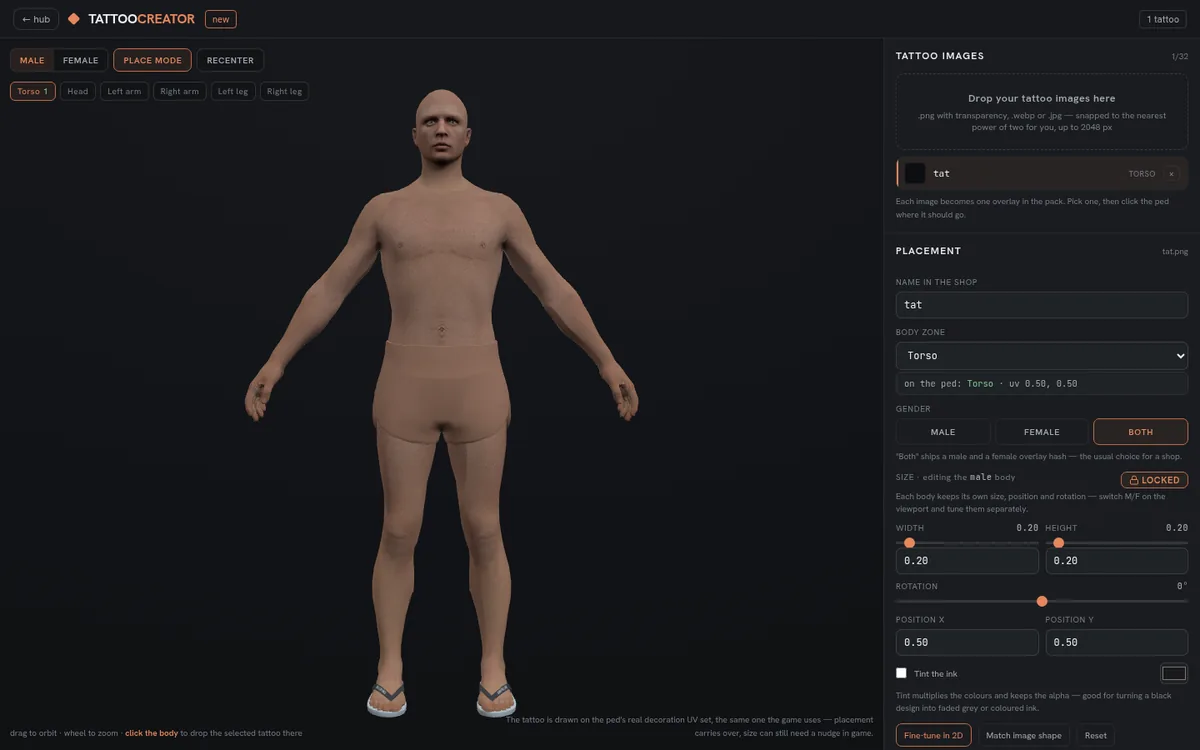
- Place it on the ped. Switch on placement mode and click the body — torso, arms, legs or head. The ring cursor shows where and how big it lands, and the tattoo draws on the model as you go.
- Tune it. Uniform size, or unlink width and height to stretch. Rotation presets at 90 degree steps, or free rotation in the 2D panel.
- Export. You get the overlay XML, one .ytd per tattoo, a manifest and config files for illenium-appearance, qb, ESX, rcore, Menyoo and standalone.
Installing it — the one gotcha
Drop the resource into resources, add it to your server.cfg, then fully restart the server.
Then paste the matching config block into your appearance script's tattoo list and the entries show up in the character menu.
Why in-game size differs from the preview
The game's tattoo scale is not one-to-one with screen pixels, so the exporter applies a calibration factor to the values it writes. What you see in the editor is what you get in-game. If a design still lands slightly off on a particular ped, nudge uvPos in the exported XML — every value is plain text.
Frequently asked
Why does my tattoo appear in the menu but not on the ped?
Two usual causes: the PedDecorationCollection is missing its own collection-level nameHash entry, or the server was only restarted at resource level. PED_OVERLAY_FILE data_files are registered at server boot only.
Which appearance scripts are supported?
The pack ships ready config files for illenium-appearance, qb-clothing, fivem-appearance, ESX, rcore, Menyoo and a standalone Lua table.
Do tattoos work on both male and female peds?
Yes. A tattoo marked for both emits separate GENDER_MALE and GENDER_FEMALE presets sharing one texture, which is the vanilla convention.
How much does it cost?
Tattoo exports are free, limited to 3 per day. Subscribers get unlimited exports.
Try it free
Create a free account, join the Discord for your credits, and build your first asset in minutes.