
Retexture a FiveM weapon without touching a modelling tool
A weapon skin is a texture swap, not a new weapon. Pick one of 193 vanilla weapons, paint its sheet in the browser with layers and your own logos, and export a resource that loads with a plain ensure. Here is what the game is actually doing underneath, and where the limits are.
How a weapon skin works
Every weapon model reads its look from a texture dictionary — a .ytd named after the weapon, holding one sheet per part. The model asks for a texture by name, so swapping the picture behind that name changes how the weapon looks without touching the model at all.
That is what this tool ships: your painted sheets, packed back into the weapon's own dictionary, under the names its shaders already ask for. No model, no metadata — which is why it loads on ensure instead of needing a full server restart.
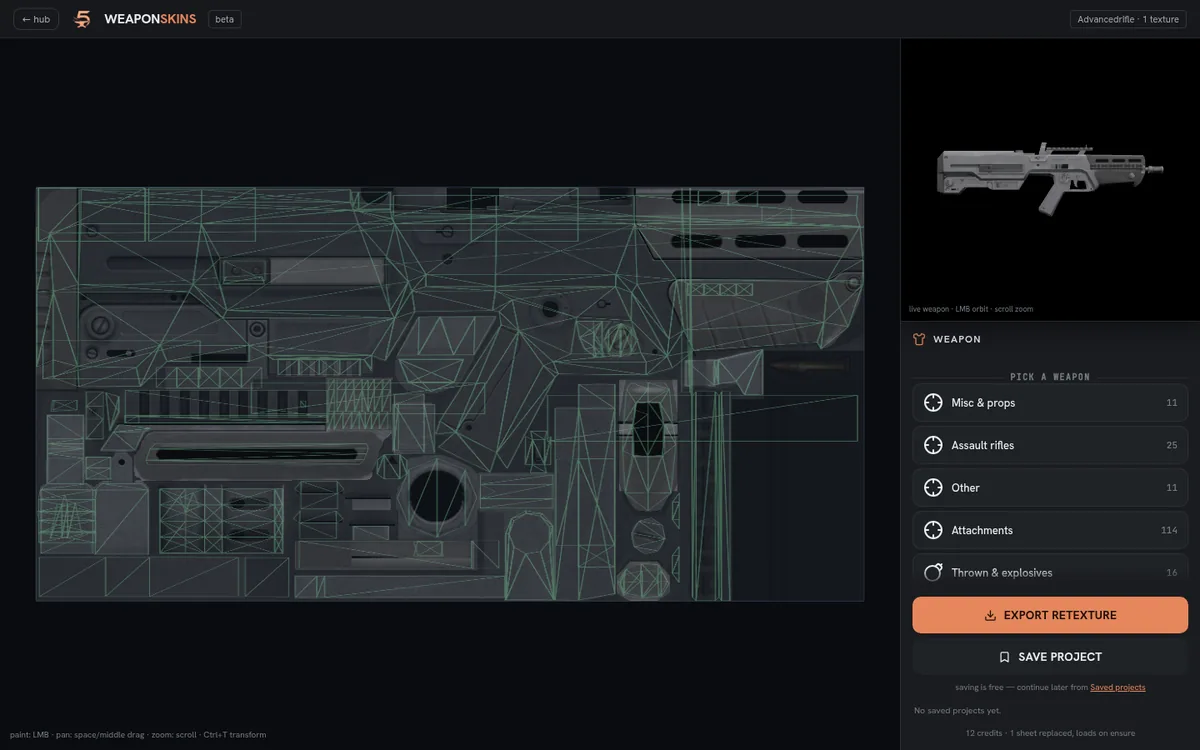
Weapons have more than one sheet
A rifle is not one texture. The body, the magazine, the stock and the scope often sit on separate sheets, and the editor lists each one it finds. Paint only the body and the magazine stays vanilla — which is usually what you want, and occasionally a surprise.
The 3D preview binds each sheet to the mesh that actually uses it, so a part you have not painted keeps its stock look on screen exactly as it will in game. If a part never changes no matter what you paint, it is reading a shared texture that lives in another dictionary — decals and camo sheets do this — and that one cannot be swapped from here.
Replace mode changes it for everyone
The export is a replacement: every one of that weapon on the server wears your paint. There is no per-player choice, because the vanilla weapon has one texture dictionary and you have just replaced it.
Per-player skins are a different mechanism entirely — GTA does those with camo components, and only the fifteen Mk II weapons carry the bone that supports them. Add-on weapons, which ship a second weapon next to the vanilla one, are on the way here but not open yet.
Installing it
Drop the folder into your resources, add ensure <resource> to server.cfg, and start it. There is no metadata in this export, so a restart of the resource is enough — no full server restart, no meta files to merge.
Frequently asked
Do I need a full server restart?
No. The export carries no metadata, so ensure is enough. Only add-on weapons, which do ship metadata, would need a boot.
Can each player have a different skin?
Not with a replacement. GTA only supports per-player weapon looks through camo components, which exist on the fifteen Mk II weapons.
Why does part of the weapon stay vanilla?
It uses a sheet you did not paint, or a shared texture that lives in another dictionary. The editor lists every sheet the weapon owns — paint the rest of them.
Does this change weapon stats or damage?
No. Nothing but the texture dictionary is shipped, so stats, ammo, animations and attachments are untouched.
Try it free
Create a free account, join the Discord for your credits, and build your first asset in minutes.