Truffade · Super · Import/Export
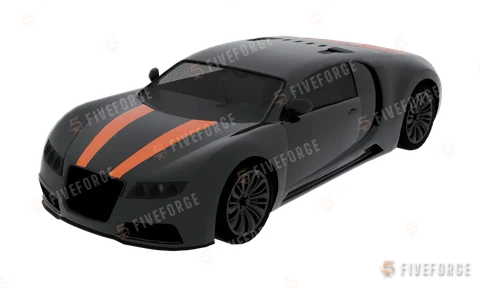
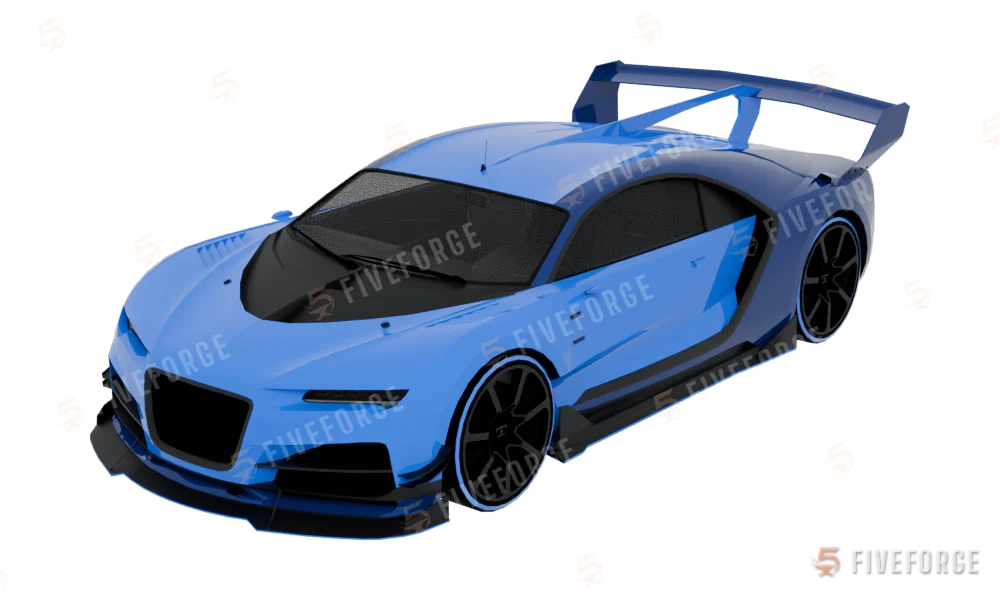
Truffade Nero Custom
Spawn name
Identifiers
- Display name
- Nero Custom
- Spawn name
- Hash
- Int32 hash
- Hex hash
- Make
- Truffade
- Class
- Super
- Type
- Car
- DLC
- Import/Export
- DLC pack
- Seats
- 2
Handling
- Top speed (handling)
- 211 km/h · 131 mph
- Drive
- AWD
- Gears
- 6
- Mass
- 1,800 kg
Spawn the Nero Custom in FiveM
local model = `nero2` -- 0x4131F378
RequestModel(model)
while not HasModelLoaded(model) do Wait(0) end

local ped = PlayerPedId()
local coords = GetEntityCoords(ped)
local vehicle = CreateVehicle(model, coords.x, coords.y, coords.z, GetEntityHeading(ped), true, false)
SetPedIntoVehicle(ped, vehicle, -1)
SetModelAsNoLongerNeeded(model)const model = GetHashKey('nero2'); // 1093792632
RequestModel(model);
while (!HasModelLoaded(model)) await new Promise((r) => setTimeout(r, 0));
const ped = PlayerPedId();
const [x, y, z] = GetEntityCoords(ped, true);
const vehicle = CreateVehicle(model, x, y, z, GetEntityHeading(ped), true, false);
SetPedIntoVehicle(ped, vehicle, -1);
SetModelAsNoLongerNeeded(model);-- server side (OneSync): the vehicle exists for everyone, even far away
local ped = GetPlayerPed(source)
local coords = GetEntityCoords(ped)
local vehicle = CreateVehicleServerSetter(`nero2`, 'automobile', coords.x, coords.y, coords.z, GetEntityHeading(ped))In a FiveM console with a vehicle spawner (vMenu, txAdmin) the spawn name nero2 is all you need. Backticks in Lua turn the name into its hash at compile time, the same number as 1093792632.
vehicles.meta flags
FLAG_FRONT_BOOTFLAG_SPORTSFLAG_RICH_CARFLAG_NO_BROKEN_DOWN_SCENARIOFLAG_COUNT_AS_FACEBOOK_DRIVENFLAG_RECESSED_HEADLIGHT_CORONASFLAG_EXTRAS_REQUIREFLAG_EXTRAS_STRONG
Open the Nero Custom in the Vehicle EditorThe original GTA model opens as a new project: remove badges, add parts, lights and paint, change handling, and export it as a FiveM resource.Make a livery for the Nero CustomThe original model opens in the Livery Mapper: pick the panels, paint or generate the livery, export it for FiveM.